

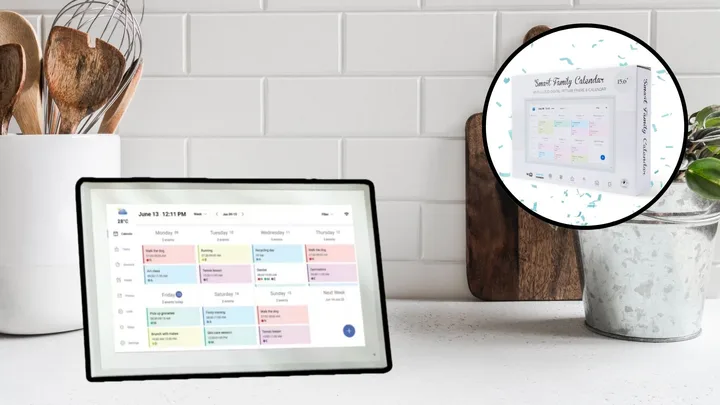
If you were among the many who missed out on Kmart’s 15.6-inch Digital Family Calendar — which famously sold out in minutes during Black Friday 2025 — there is good news. While that $199 viral sensation remains elusive, a new wave of alternatives is available right now, offering comparable aesthetics and, in some cases, even better organisational features.
These days, digital calendars are high-tech hubs that can sync busy schedules, digitise meal planning, and ideally clear the physical clutter on your fridge. But the sheer number of options can be overwhelming, especially if you’re not sure about the full scope of their capabilities. Much like how a digital calendar organises your home, this round-up is designed to do the same — helping you filter through the noise so you can find the perfect command centre for your space.
This week’s best digital calendar sales to shop now
- Amazon is offering 23% off Dragon Touch 10.1″ Digital Calendar Chore Chart
- Myer has 55% off their Artiss Digital Day Clock
- Kogan has 31% off their 10.1 Inch Digital Calendar Smart Family Planner
With a range of wall-mounted displays and ‘command centres’ now available in Australia, finding the right digital calendar to streamline your household can feel like another task on the to-do list. We’ve found the best digital calendars to help you sync your schedule and clear the clutter for good.
Better Homes & Gardens recommends:
After combing through dozens of online listings of digital calendars and testing a handful of the best, we’ve narrowed our two top picks to these: the Skylight Calendar and the 10.1-Inch Smart Digital Calendar. The BIGASUO 10.1-inch Digital Calendar is also a great option as it doesn’t require a subscription.
Choosing a subscription-free model is often the best move if you want to avoid ‘recurring fee fatigue’ and ensure your hardware is fully functional for years to come. For many, subscription digital calendars can turn a one-time home upgrade into a long-term financial commitment.



Australia’s best digital calendars of 2026 for a more organised life
If you’re shopping for a digital calendar with special features or to suit a specific need, you can find your perfect fit by looking for our ‘best for’ endorsements, as part of our detailed digital calendar overviews.
BHG’s pick of the best digital calendars for 2026
- Best overall: Skylight Calendar, $529 at Amazon
- Best with no subscription: BIGASUO 10.1-inch Digital Calendar, $199.97 at Amazon
- Best for photo storage: Denash 15.6 Inch Digital Calendar, $249.99 at Amazon
- Best under $200: 10.1-Inch Smart Digital Calendar, $170.99 at Kogan
- Best for smart homes: Amazon Echo Show 15, $549 at Amazon
01
Skylight Calendar
$529 at Amazon
Best overall digital calendar
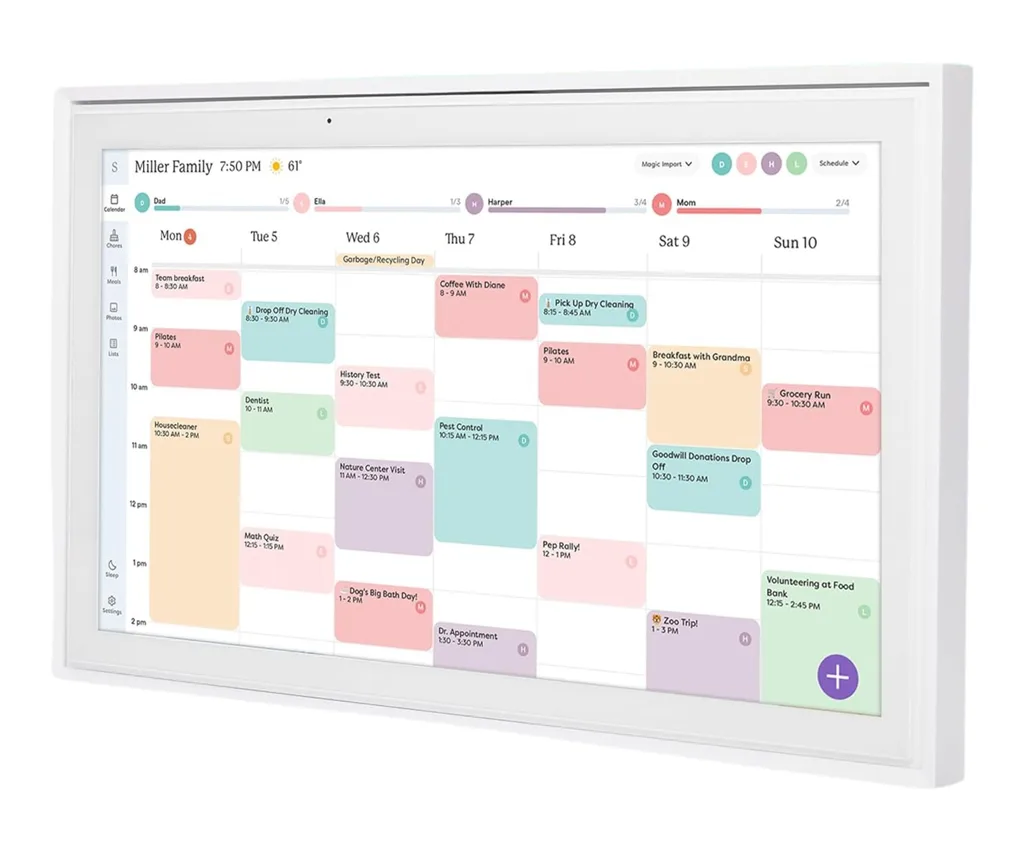
The Skylight Calendar is a polished, 15-inch HD touchscreen family organiser that integrates with Google Calendar, Apple iCloud, Outlook, Yahoo and Cozi. As well as colour-coded schedules, you can add chore charts, meal plans and a sleek app with free and paid options.
“The best family calendar you can buy,” one Australian customer said in a 5-star review on Amazon, where it has a 4.5-star average from thousands of reviews – including over 2.2k verified purchasers. In fact, the Skylight Calendar might actually be more popular than Kmart’s digital calendar, with Google keyword data showing 10k-100k average monthly searches for “skylight calendar”.
Key features:
- 15-inch HD touchscreen display
- Easy setup, with wall mount or desk stand
- Seamless calendar syncing with Google Calendar, iCal, Outlook, Yahoo and Cozi
- Skylight app integration for colour-coded calendars, tasks and lists
- Paid upgrade offers magic Import, photo screensaver, meal planning and stars/rewards
Also available at:
02
BIGASUO 10.1-inch Digital Calendar
$199.97 at Amazon
Best digital calendar with no subscription
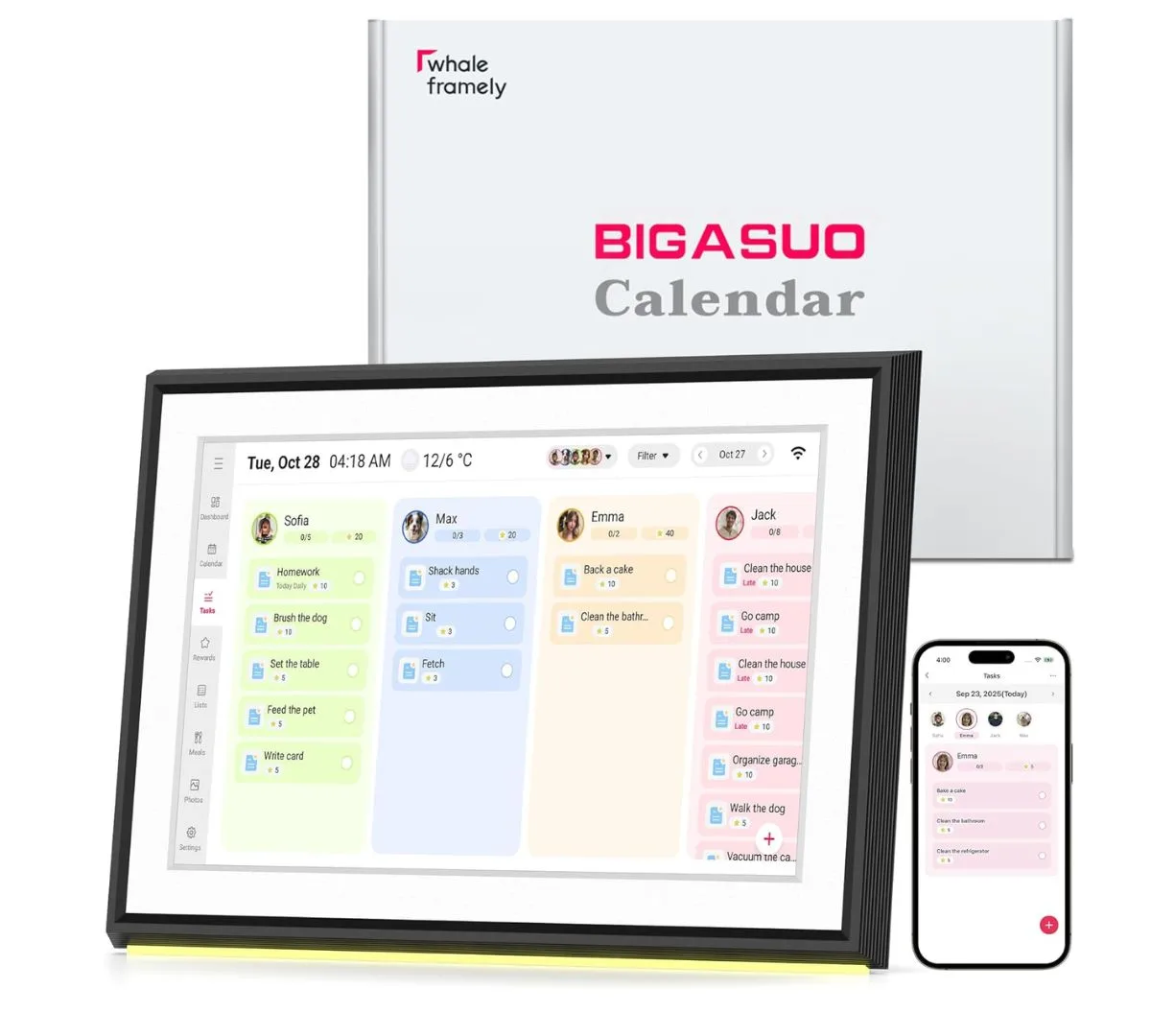
This digital calendar features an HD touchscreen, colour-coded family schedules, LED reminder lights, to-do and chore lists, meal planning, shopping lists and doubles as a smart digital photo frame – with a free app (unlike some that offer paid upgrades). It also has two-way Google Calendar syncing and supports syncing with iCloud, Outlook, Cozi, Yahoo and SnapTeam.
“After using this daily for three weeks, I can honestly say it’s worth every penny. The real-time sync between the calendar and our phones works flawlessly. We use the shared lists constantly, and the ability to set alarms for important events has kept us on track,” one Australian customer said in a 5-star review on Amazon, where it has a 4.4-star average from over 150 global ratings.
Key features:
- 10.1-inch HD touchscreen display
- Real-time, 2-way syncing with Google Calendar
- Syncs with iCloud, Outlook, Yahoo and Cozi
- Create colour-coded events, lists, chores and rewards with the free app
- Digital photo frame function
- 32GB internal storage, plus a card storage slot for an extra 32GB
03
Denash 15.6 Inch Digital Calendar
$249.99 at Amazon
Best digital calendar for photo storage
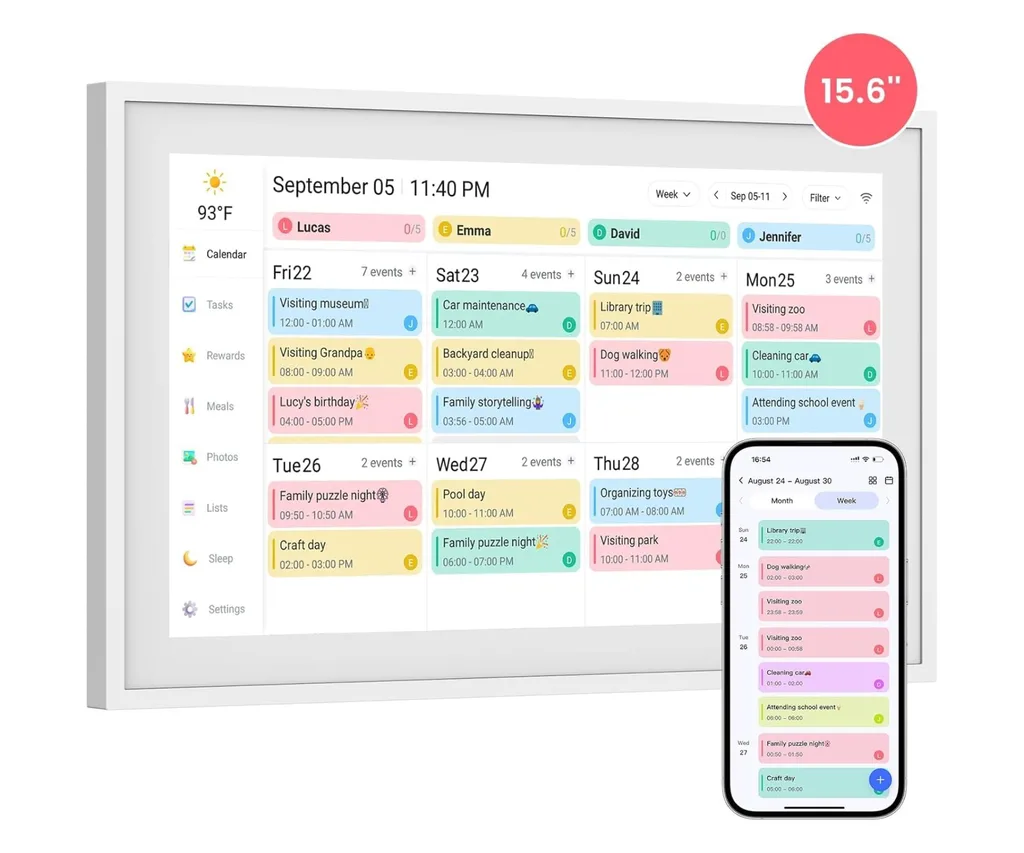
This bestselling digital calendar on Amazon has a HD, simple touch interface, with colour-coding options so you can organise tasks or easily see everyone’s schedules. It’s wifi-enabled and syncs with Google Calendar, iCal, Outlook, Yahoo and Cozi calendars, plus it can double as a digital photo frame and has a storage card slot if you need more than the built-in 32GB.
“This was a gift for my daughter and she loves it! The set out and different colours for each person. My little grandson can tick off his jobs for the day. The meal planning and the photo screen are so good. I definitely think this is a great product,” one Australian customer shared in a 5-star review on Amazon, where the handful of reviews were all 5-stars when we checked.
Key features:
- 15.6 Inch HD 1080P touchscreen display
- Real-time syncing with Google Calendar, iCal, Outlook, Yahoo and Cozi
- Colour-coding, customisable tags and intuitive layout features
- Digital photo frame function, stereo speakers, wall mount or desk stand
- 32GB internal storage, plus a card storage slot for an extra 32GB
04
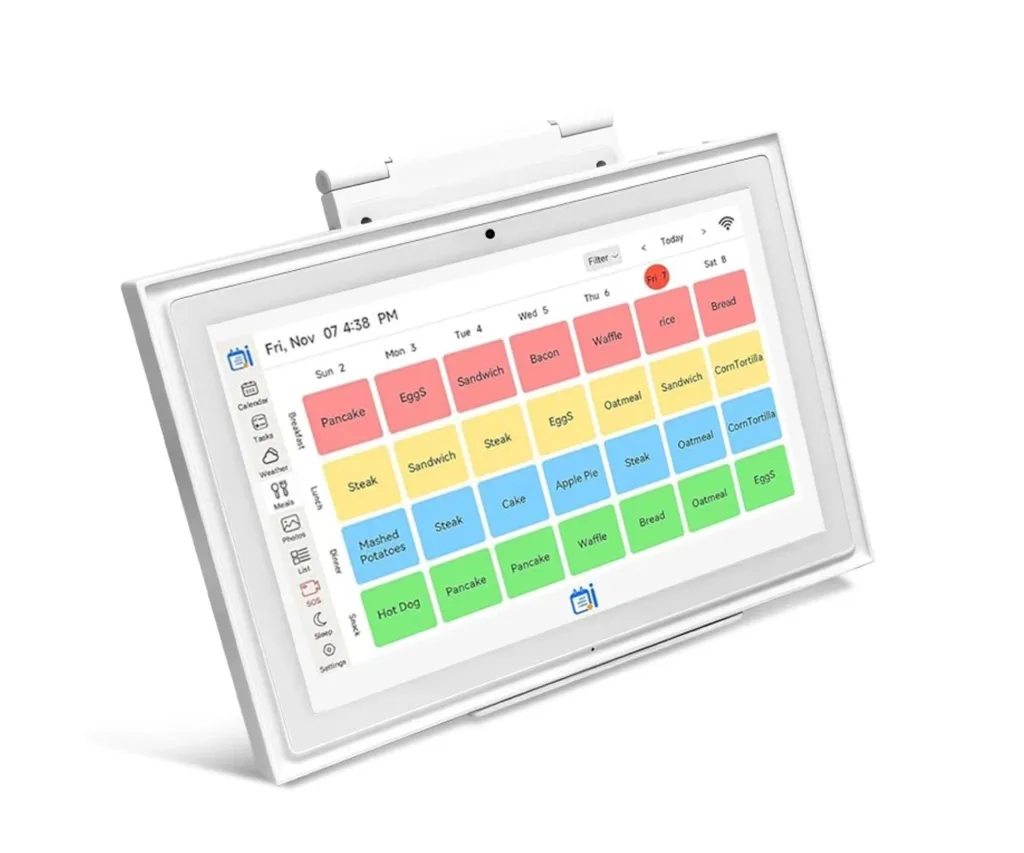
10.1-Inch Smart Digital Calendar
$188.99 at Kogan
Best digital calendar under $200
A lot of the digital calendars available in Australia are upwards of $200 but this one at Kogan is actually cheaper than the Kmart calendar when it was on sale. It syncs with other calendars, has chore charts, dinner plans and even weather, plus it supports photo and video sharing, with an HD touchscreen display.
Like many other digital calendars, it can be mounted on a wall or stand on your bench or desk. It’s worth noting the frame is less sleek than some others, but at this price, it might be worth it for the budget-conscious among us.
Key features:
- 10.1-inch touchscreen display
- Syncing with Google Calendar, iCal, Outlook, Yahoo and Cozi
- Assign unique colours and tasks to each family member, add meal plans and more
- Supports sending photos and videos by app, with free and paid features
05
Amazon Echo Show 15
$549 at Amazon
Best digital calendar smart homes
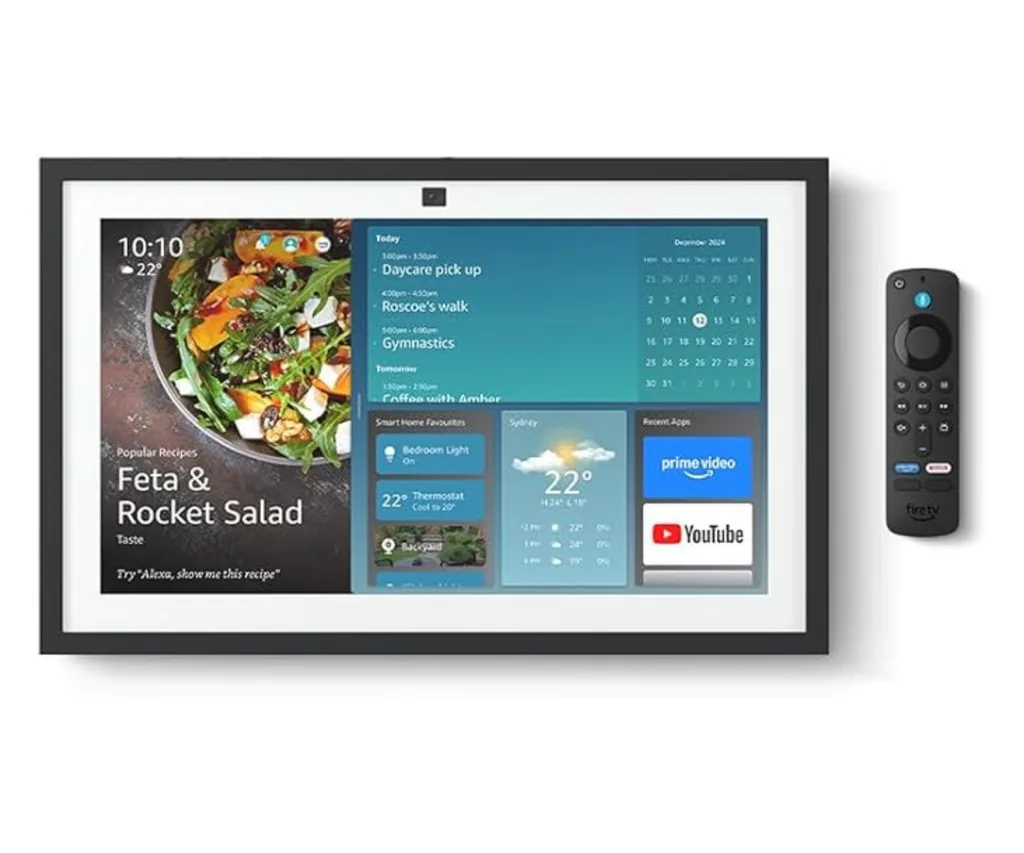
Amazon’s 15.6-inch smart display that works as a digial calendar, smart-home hub, digital photo frame, news/weather dashboard and entertainment screen. The built-in Amazon Alexa app means you can control smart devices with your voice or a few taps using the smart home dashboard, while the camera and microphone are great for video calls and can be muted and shuttered for added privacy.
More than a calendar – it’s a complete control centre, with one Australian customer summing it up as a “game changer for a busy house”.
Key features:
- 15.6-inch full-HD (1080p) smart display
- Customisable widget layout to easily view digital calendars, to-do lists, local weather, photos and more
- Built-in Fire TV and remote for access to entertainment apps and subscriptions like Prime, Netflix and YouTube
- Voice controls and smart home dashboard to control other smart devices with Amazon Alexa
- Video calling with a centred, auto-framing camera, wide field of vision, 3x zoom, noise reduction technology and privacy features
06
Dragon Touch 10.1-Inch Digital Calendar, Black
$259.99 at Amazon
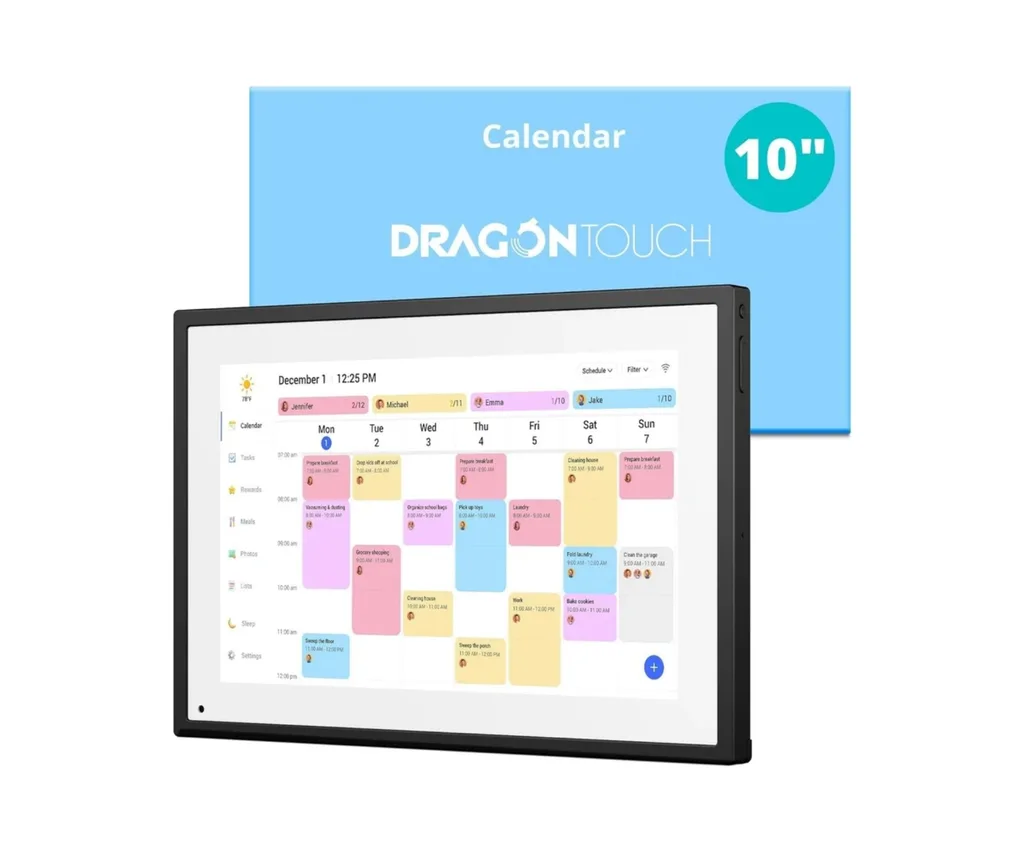
Just as the colour of traditional picture frames can make a difference, so too can the frame on a digital calendar. Most of the ones we’ve seen are white, but this Dragon Touch calendar has a stylish black frame around its compact 10.1-inch touchscreen. The calendar lets you share schedules, reminders, chores and more, with a plug-and-play design and simple app.
It can be used as a digital photo frame and you have the choice of sitting it on the bench or mounting it on a wall. It’s proved popular on Amazon, ranking 20th for wall calendars when we checked (and that includes analog calendars).
“Absolutely LOVE this. Identical to the more expensive brand but without the subscription fees,” one Australian customer shared in a 5-star review from January 2026.
Key features:
- 10.1-inch touchscreen display
- Sync with multiple personal calendars like Google Calendar, iCal, Outlook, Yahoo and Cozi
- Colour-coding and intuitive layout features
- Digital photo frame function
What you need to know before buying a digital calendar
The most critical feature is seamless, two-way synchronisation with existing platforms like Google Calendar, iCloud, and Outlook. Beyond syncing, you should look for high-resolution touchscreens, color-coded user profiles, and the ability to display extra widgets like weather and grocery lists.
While some brands like Skylight and Hearth require a subscription to access premium features like meal planning or photo sharing, many others offer a robust free tier or a one-time purchase model. It is important to check if the specific features you want, such as chore charts, are locked behind a paywall.
A 15-inch display is generally the standard for kitchen counters, while larger 24-inch to 32-inch screens are better for high-traffic walls where visibility from across the room is a priority. Choosing the right size depends entirely on your available wall space and how far away you’ll be when viewing it.
Modern digital calendars often act as “home command centers” that can display weather forecasts, grocery lists, meal plans, and even rotating family photo slideshows. This versatility allows the device to remain useful and aesthetically pleasing even when you aren’t checking your appointments.
A stable Wi-Fi connection is necessary for the device to sync real-time updates and display live information like the weather. If the connection is lost, most displays will still show the last cached version of your schedule but won’t reflect new changes until they are back online.


Related stories

Native ad body.

Native ad body.




Native ad body.