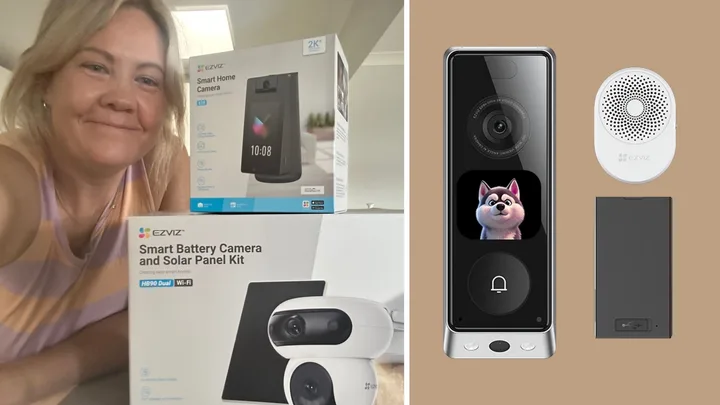
Last week, my husband sent me flowers. When I heard a knock at the door, I panicked and ran out the back to hide. The knocking got louder, so I texted him, saying, “Gosh, the door knockers are intense today.” Later, after school pickup, I came home to find a bouquet on the porch. That’s when I realised my aversion to answering the door had gone a little too far.
To be fair, when we asked our readers, about one in four admitted they hide or simply don’t answer the door either. The most popular move? Check the camera first, then decide. That’s exactly what I wanted from a home security system. What I didn’t expect was everything else it would do too.
The system
EZVIZ isn’t just a doorbell; it’s a whole-home security system that allows you to add extra devices when you need them. And there are no subscriptions to worry about, either. While it might be new in Australia, EZVIZ is the world’s No. 1 smart home camera brand, according to market research firm IDC.
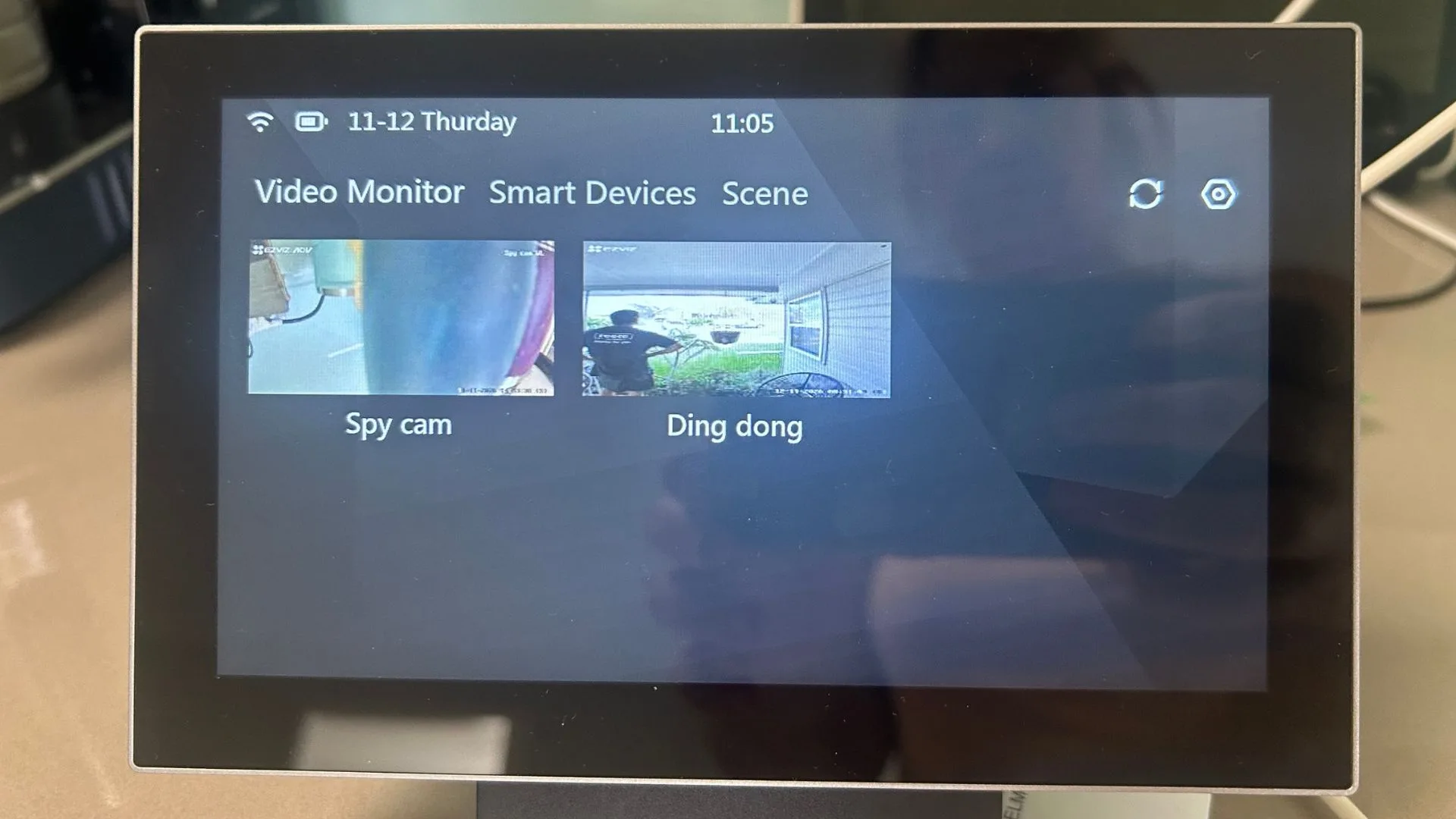
I tried four of their products: the EP8 Ultra Dual Cam video doorbell with chime ($399), the S10 indoor camera with display ($379.95), the HB90 dual 3K security camera with solar panel ($549.95), and the SD7 Smart Screen ($249) to see how the whole system comes together.
Setup
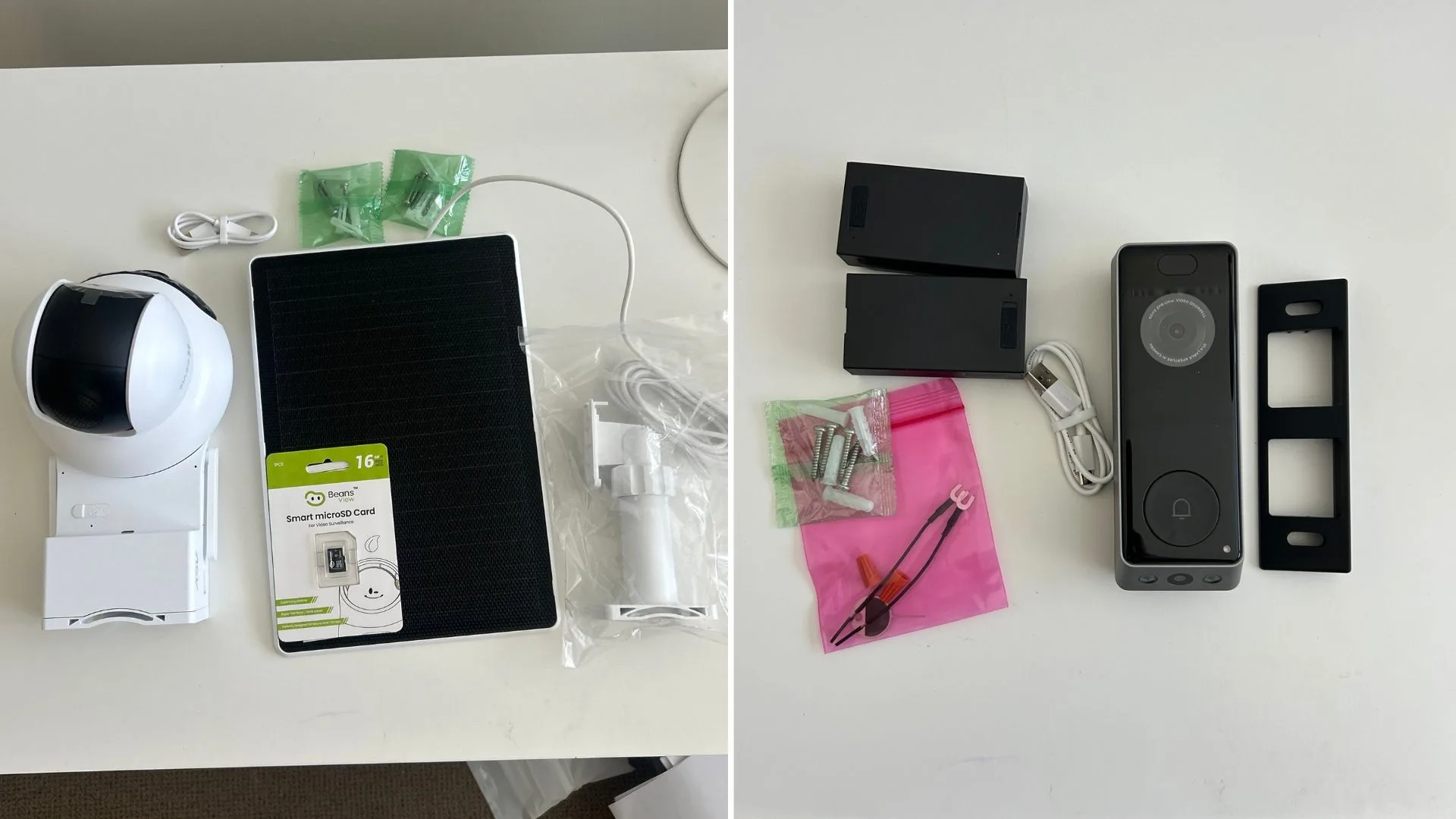
Setup was simple and straightforward. Using the app, I added and connected every device to my phone, and then the doorbell and outdoor camera to the smart screen. My only gripe was typing my ridiculously long Wi-Fi password into each one. You’ll need a drill and a screwdriver for the doorbell and outdoor camera, but the screws and a handy drilling template are included.
Setting up the indoor camera and the smart screen was as simple as taking them out of the box, plugging them in, and scanning a QR code to connect them. The doorbell and outdoor camera took a little longer to drill into the wall, but even then, maybe 20 minutes each.
The indoor camera: baby monitor meets home phone
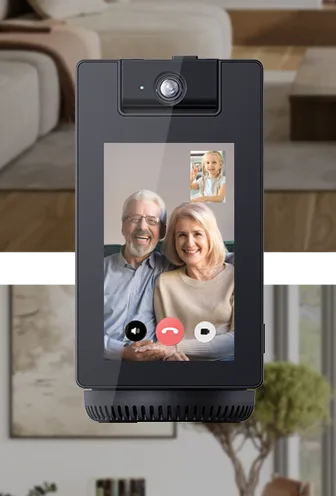
The S10 surprised me most. It was in the living room, but when my daughter napped, I moved it into her bedroom and got a notification when she woke up. We don’t have a baby monitor, so that alone is a feature I’ll definitely use again. The picture is clear, and there’s a physical privacy shutter for when you don’t want it watching.
At first, the notifications were intense. When it was in the living room, it pinged me every time someone walked past. But that was an easy fix in the settings. I kept the “people detection” setting, spaced out the alerts and set a schedule, so it only keeps watch when we’re out or asleep. Alternatively, you can arm and disarm each camera from the app as needed.
Then there’s the feature my kids love most. They press the green phone button, and the camera video-calls my phone. I can call it too. It’s like a home landline (remember those?) you didn’t know you needed – but really do. Granted, my kids are two and five, so they aren’t old enough to be left at home, but the novelty of having a direct line to mum has been a big hit. You can also use it as a digital photo frame and a Bluetooth speaker.
The doorbell: meet the angry panda
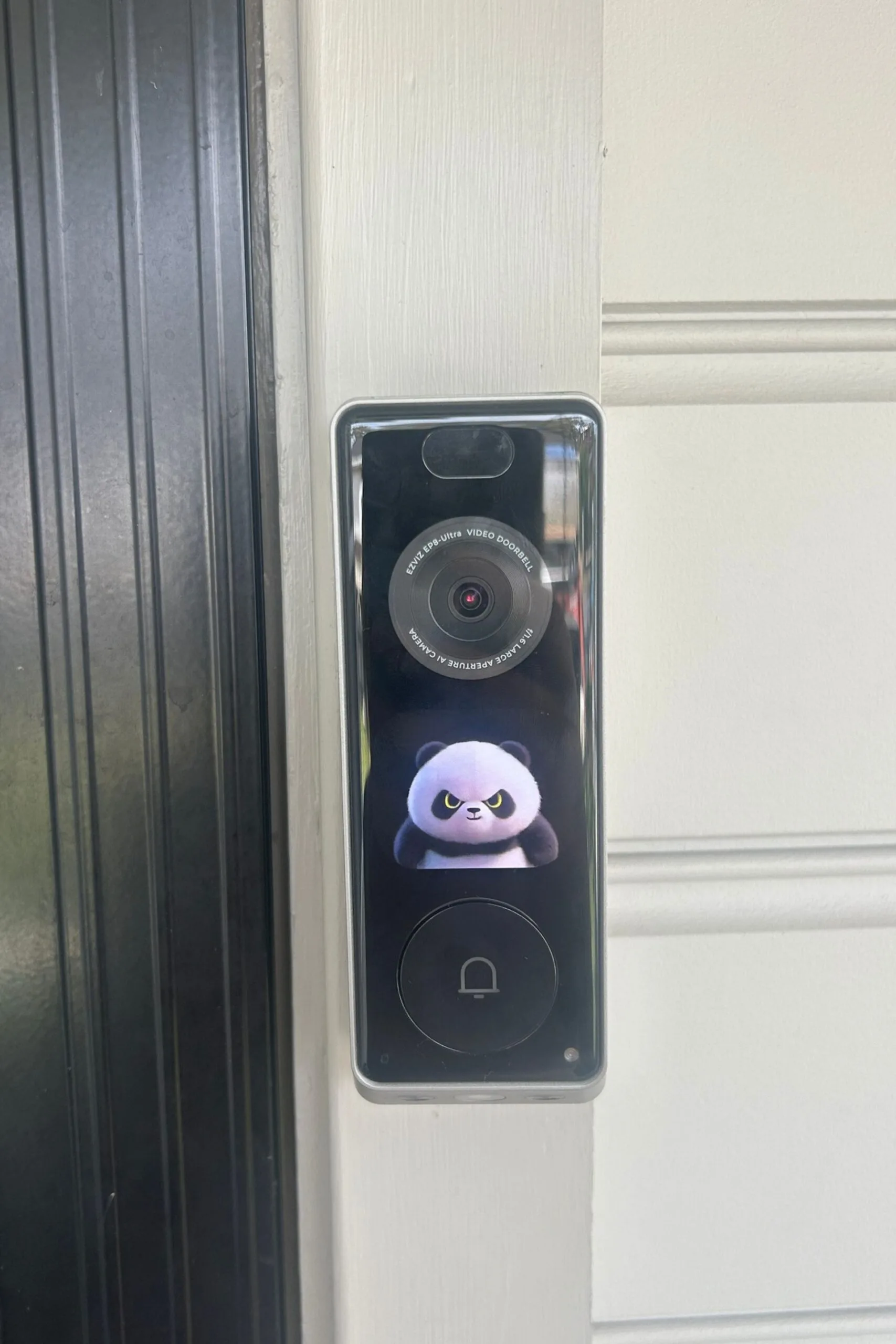
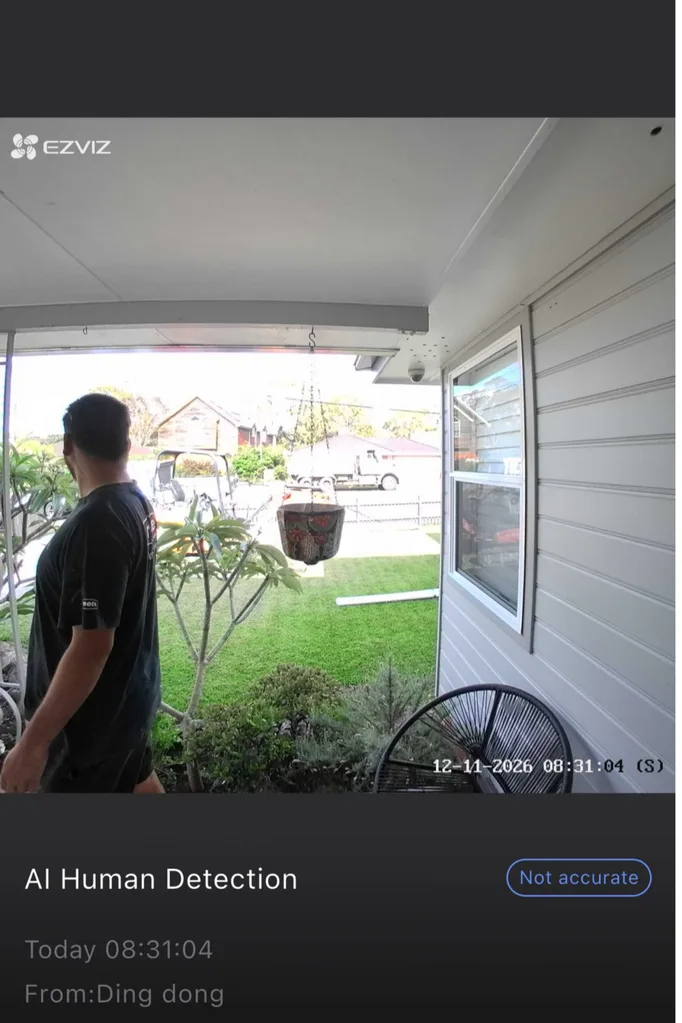
The EP8 Ultra has two cameras: one for faces, and one pointing down at the doorstep where parcels land. When someone approaches, a cartoon character pops up on its little screen. You can choose from three, and I picked the angry panda because I don’t like answering the door.
The cool part is this doorbell turns into a proper two-way video chat. The visitor sees me on the doorbell’s little screen, and I can see them.

My kids loved the voice changer. It has two options: “clown tone” or “uncle tone”. You can customise how intense you want the voice disguise on a sliding scale, so the person at the door can’t tell who’s home.
The doorbell chime plays through a speaker that’s plugged into a power outlet of my choosing and is loud enough to hear from anywhere in the house. So I don’t have to keep my phone glued to me just in case someone knocks. Honestly, I’m trying to cut down on my phone time, and this setup makes that a bit easier.
The EP8 Ultra runs on a detachable, rechargeable battery and comes with a spare. When one battery runs low, simply swap in the charged-up backup and keep your doorbell powered without interruption. You will be out of action only for as long as it takes to swap the battery.
The battery took 2.5 hours to charge and was still at 98% after day one. Based on my first few days of testing, I estimate one full charge will last at least 25 days, and possibly up to a month. How fast it drains depends on how many visitors you get and how many doorbell features you enable.
The outdoor camera
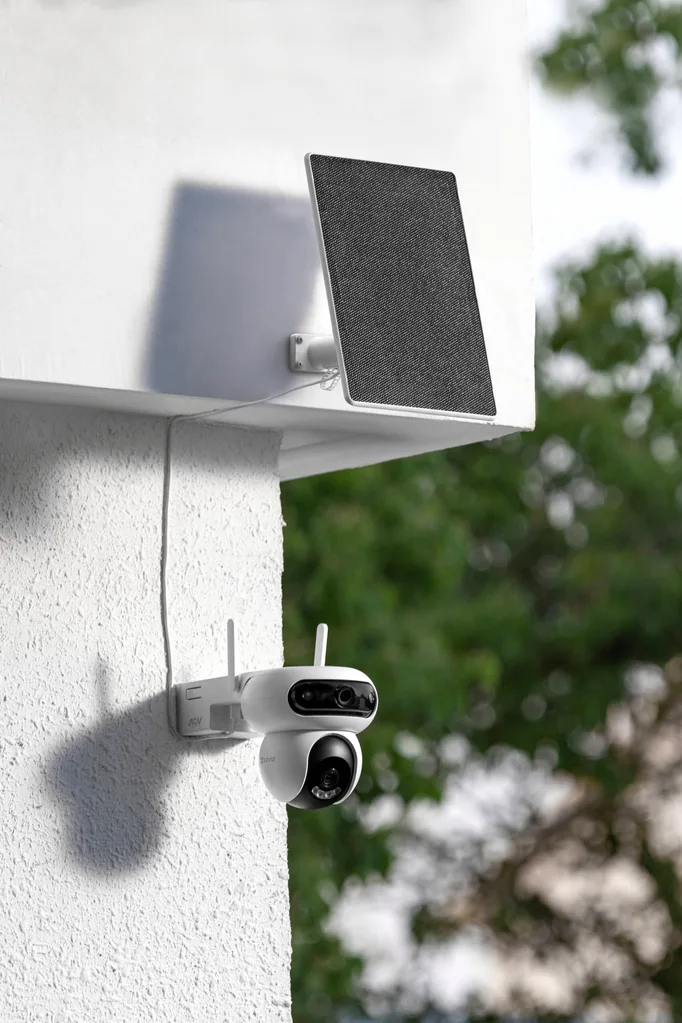
The HB90 sets up the same way as the other models. What sets it apart is its Always-On Video feature. Instead of saving short clips when it senses motion, it records continuously using low power. In the app, you can scroll through motion clips, and if anything seems unusual, you can watch the full scene from the included microSD card. If it detects something at night, it turns on very bright lights. You can also play a very loud alarm, which I accidentally set off in the kitchen.
The moment it all clicked
It really clicks when the devices work together. When my groceries were delivered, I got a notification that someone was at the door. I said thanks through the doorbell, waited until the coast was clear, and grabbed my food and scurried back inside.
No subscription fees
Many home security systems require a monthly fee to store your video. With EZVIZ, you can choose a cloud plan if you want, but it’s not required. The outdoor camera includes a microSD card, the doorbell has its own storage, and you can add a card to the indoor camera. If you need to save something, just download it to your phone.
The verdict
I thought I was installing a security system. Instead, it became a delivery tracker, baby monitor, family intercom and door-answering assistant all rolled into one.
Where to start?
- If you want to know who’s at the door, start with the EP8 Ultra doorbell. This is where I’d start. It lets you see visitors and parcels, and it comes with its own chime, so you don’t have to rely on your phone to hear it.
- If you like the idea of a modern-day home phone, start with the S10 indoor camera. My kids used it daily to video-call me, and the monitoring features were an added bonus.
- If you’ve got a yard, driveway, or side gate to keep an eye on, the HB90 outdoor camera is for you. Always-On Video and the solar panel make it set-and-forget.
- When you have two or more devices, the SD7 smart screen is a helpful addition. It displays feeds from your other devices instead of having its own camera, so it’s meant as an add-on. It’s a great way to keep everyone in the house updated without grabbing a phone.
Where to buy