


Google now lets you select preferred news sources, so you can see more content from the publishers you love.
If you regularly turn to Better Homes & Gardens for recipes, renovation ideas, gardening advice and decorating inspiration, you can tell Google you’d like to see more of us in your results.
It only takes a minute.
Here’s how to do it:
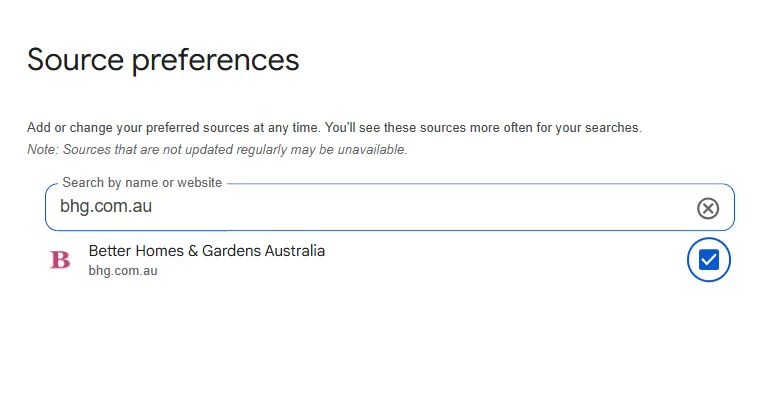
- Click the link below to open Google’s Source Preferences.
- Search for bhg.com.au.
- Select Better Homes & Gardens Australia.
- Tap save.
👉 Make Better Homes & Gardens your preferred source by clicking this link.
According to Google, it does not override Google’s ranking algorithms or guarantee a single publisher top placement.
Instead, it gives additional prominence to selected outlets when their reporting is relevant and meets Google’s editorial and technical standards.
We’re here to help you make your home life easier, more beautiful and more enjoyable and this is one simple way to keep us close at hand.

Related stories
Native ad body.
Native ad body.



Native ad body.